SMS verification opt-in flow
Boosteate (operated by SAMYCA LLC) sends one-time verification codes by SMS only after the user completes the in-app flow below. This page is the campaign evidence for A2P 10DLC registration.
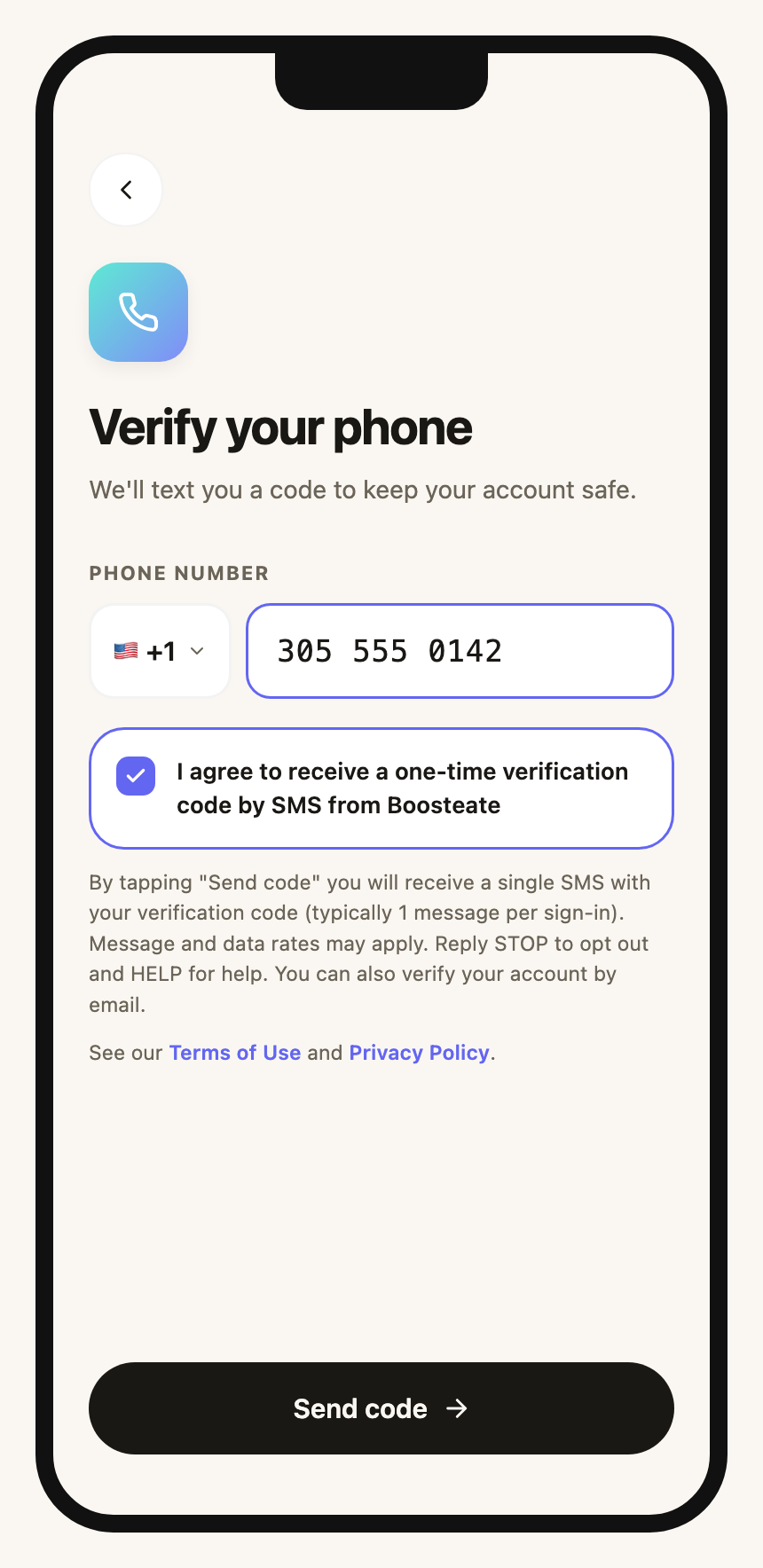
Step 1 — After signing in with email: phone number, consent checkbox and “Send code”
Verify your phone
We'll text you a code to keep your account safe.
By tapping "Send code" you will receive a single SMS with your verification code (typically 1 message per sign-in). Message and data rates may apply. Reply STOP to opt out and HELP for help. You can also verify your account by email.
See our Terms of Use and Privacy Policy.
The “Send code” button stays disabled until the number is valid and the consent box is checked. The tap is the opt-in event; exactly one SMS is sent.
Step 2 — The user enters the 6-digit code received by SMS
Enter the code
We texted a 6-digit code to
+13055550142 · Change number
Resend in 24s
Sample message received: Boosteate: your verification code is 482915. It expires in 10 minutes. Do not share it with anyone. Reply STOP to opt out.
Flow summary
- The user signs in to the Boosteate app with their email (one-time code) and, on first sign-in, is asked to verify a mobile phone for account security.
- The user types their own mobile number. Numbers are never imported, purchased or pre-filled.
- The user checks the consent box; the disclosure (frequency, rates, STOP/HELP, Terms and Privacy links) is shown directly below.
- The user taps Send code. One SMS with a 6-digit code is sent; it expires in 10 minutes.
- Replying STOP opts the number out; HELP returns support contact (support@boosteate.app). Email verification is always available as an alternative.
Static image of step 1: /sms-consent.png · Privacy Policy · Terms of Use